Automatic recording
Schedule recordings or capture around the clock. StreamWriter Studio runs reliably in the background.

StreamWriter Studio records your favorite stations, detects individual tracks and files them neatly tagged into your library — entirely in the background.
14-day money-back guarantee

The Mac records and cleanly tags every track. Send them to your iPhone with a tap — then your whole library is with you offline, no subscription.

Thought through in every detail — yet simple.
Schedule recordings or capture around the clock. StreamWriter Studio runs reliably in the background.
Detects song boundaries from the stream metadata and saves every track as its own file.
Artist, title and cover art are tagged automatically — perfect for music and any library.
Record as many stations as you like at the same time — each stream in its own tab.
Skip ads and jingles.
Native apps for macOS and Windows — fast, efficient and cleanly built.
Sort recordings and songs into your own playlists and keep your collection organized.
Every track automatically gets the matching, real cover artwork — your library looks like it was bought.
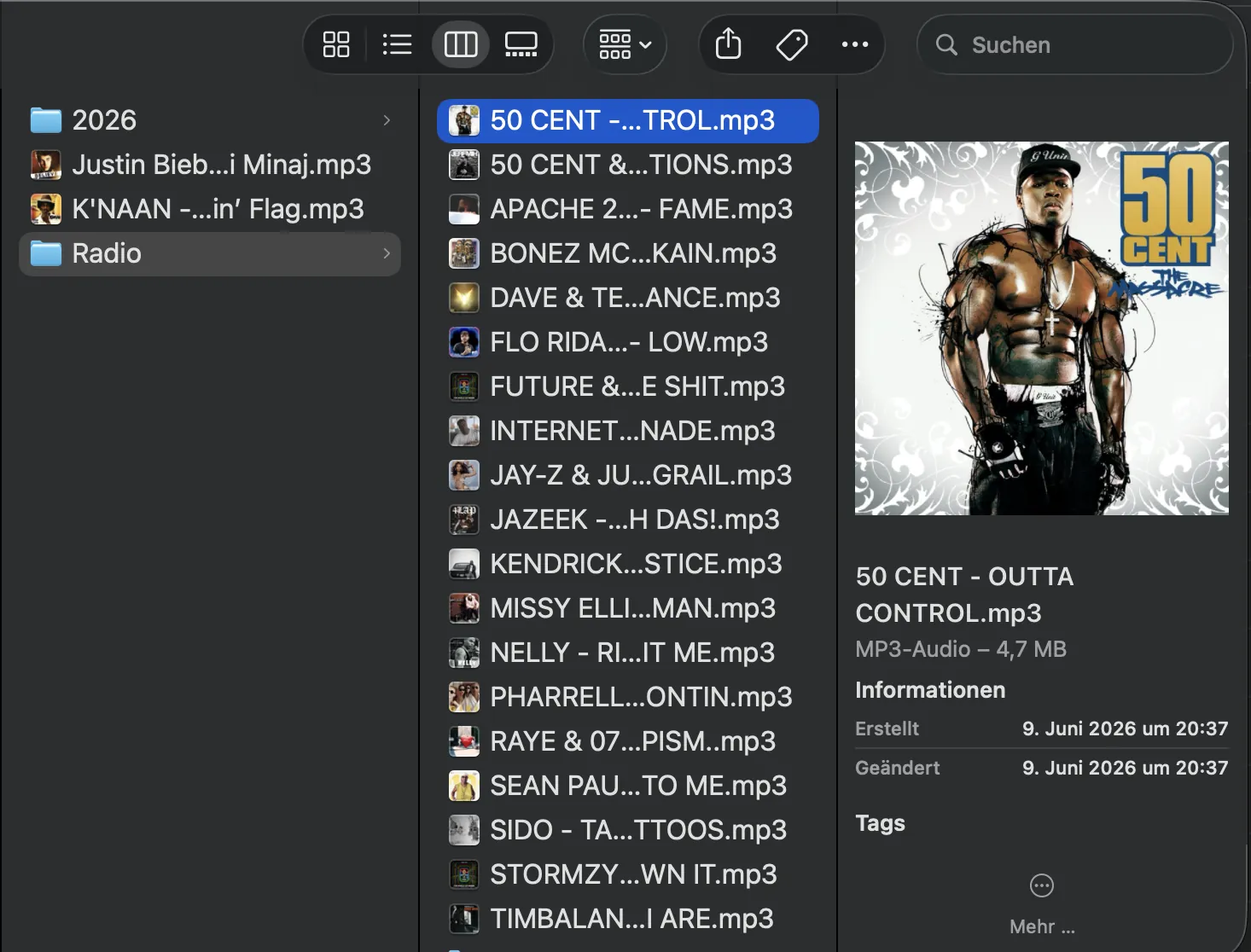
Every track automatically gets the matching, real cover art – visible all the way into Finder.
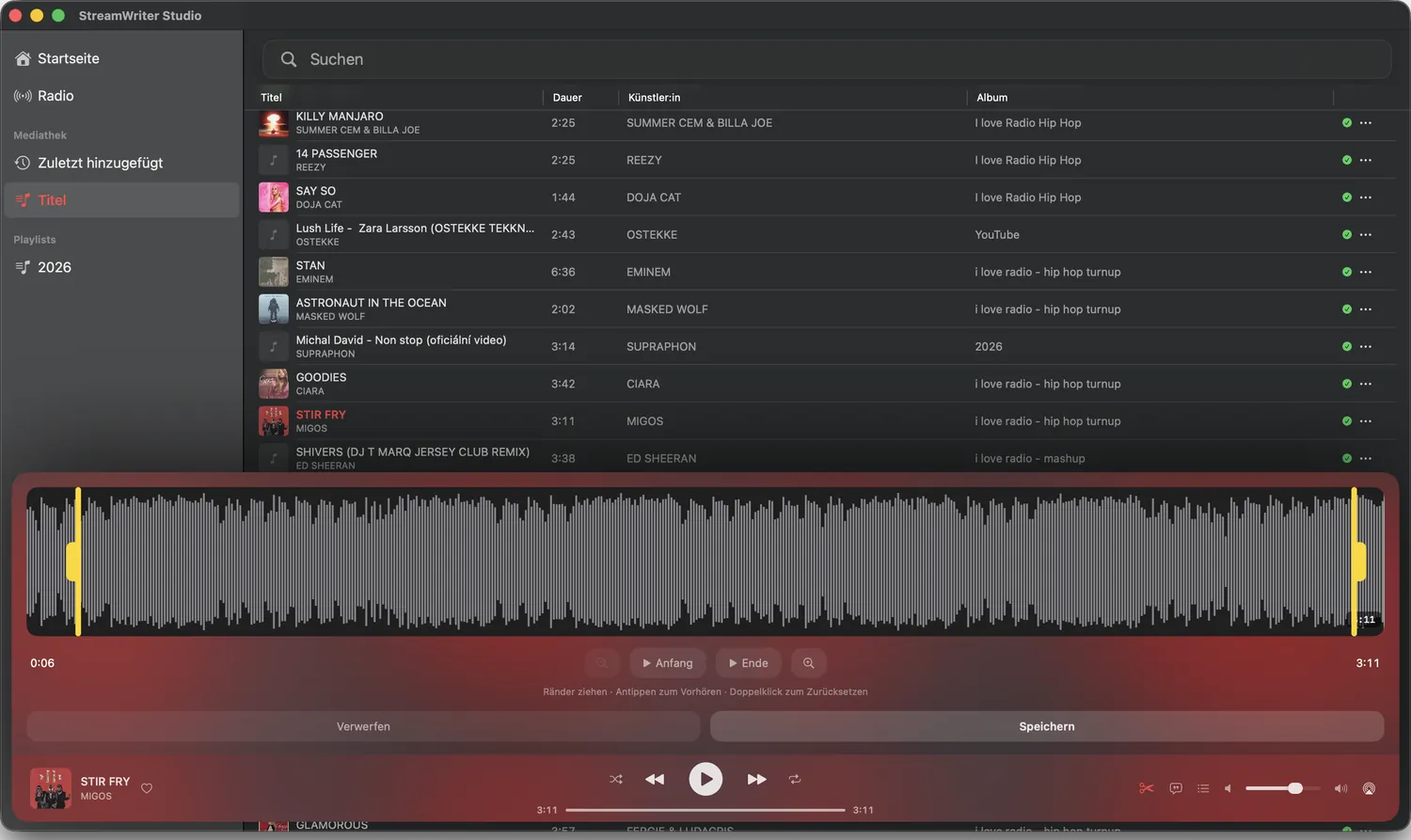
Cut your recordings precisely at the start and end in the waveform editor and save them as a clean file.
A look at StreamWriter Studio.
Paste a stream URL or pick one from the built-in directory.
Record instantly or set a schedule — everything else runs automatically.
Tagged tracks land neatly sorted in your folder or music library.
A short walkthrough of StreamWriter Studio.
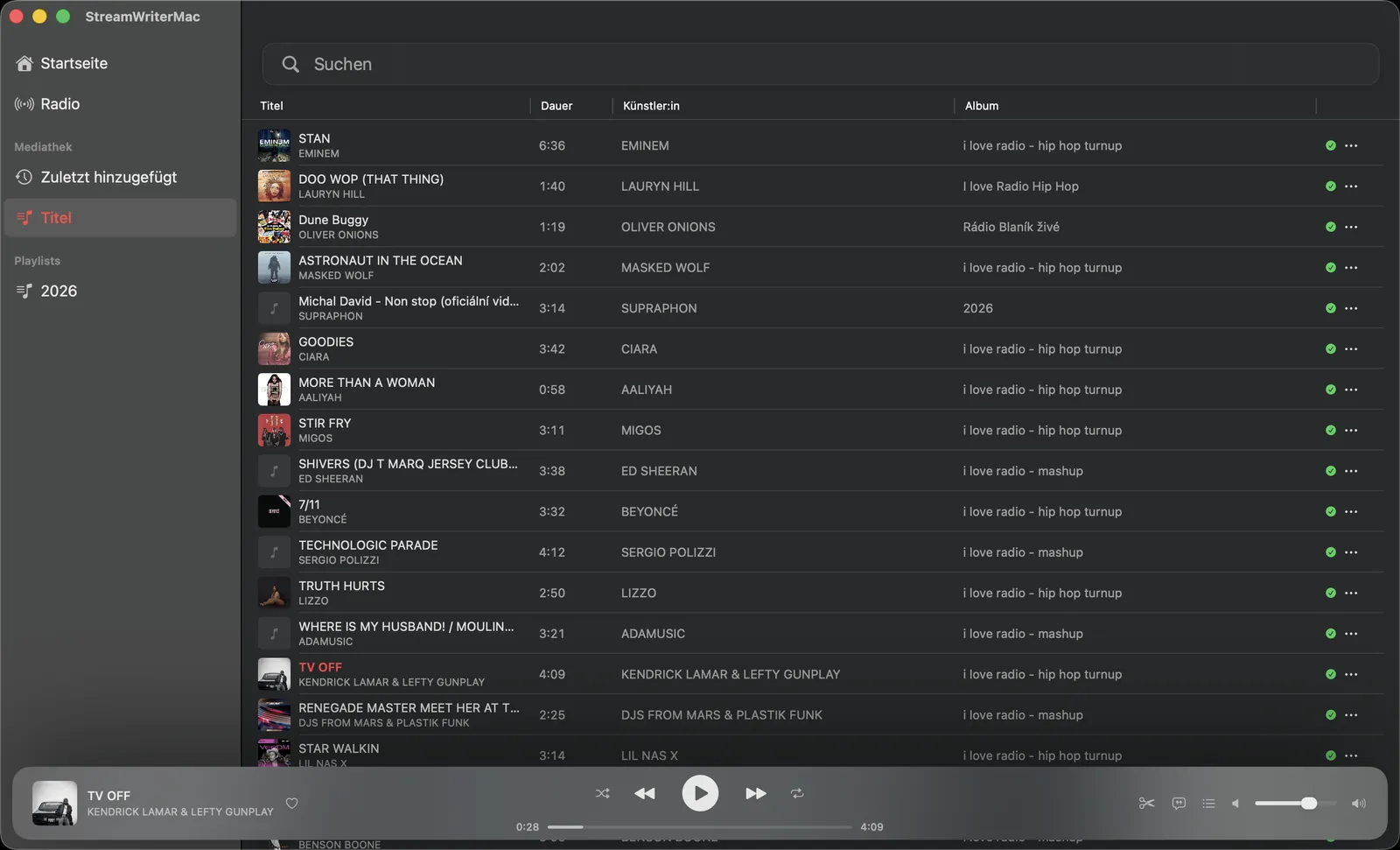
Everything you need to know about StreamWriter Studio.
With StreamWriter Studio you add a station's stream URL and start recording. The app records internet radio automatically, detects individual tracks and files them tagged into your library – entirely in the background.
StreamWriter Studio is the native macOS alternative to StreamWriter: automatic recording, track splitting, tagging with real album art, multiple stations at once and playlists – built for Apple Silicon and Intel.
Yes. StreamWriter Studio detects track boundaries from the stream metadata and saves each song as its own file – including artist, title and matching cover art.
A one-time $59.99 instead of $69.99 – no subscription, no monthly fees. The license is a one-time purchase for one device – either Mac or Windows.
macOS 14.6 or newer (Apple Silicon or Intel) — or Windows 10/11 (64-bit). Your license key works on both.
Yes. You can record as many stations in parallel as you like – each stream runs in its own tab and is captured independently.
Recordings for purely private use (private copy) are permitted in many countries. Please observe the copyright rules of your country.
It depends on the station – internet radio is usually streamed at 128 kbps, many stations also at 192, 256 or 320 kbps; StreamWriter Studio shows each station’s bitrate. In the settings you can choose between “Lossless” (a 1:1 recording in original quality) and “Standard” (space-saving MP3). The app can’t add quality the station doesn’t broadcast.
Coming from Windows? StreamWriter for Mac: the native alternative compared →
Buy once, no subscription.
Buy forOne-time purchase · macOS 14.6
 🚀 Live on Product Hunt
Check it out & leave your feedback →
🚀 Live on Product Hunt
Check it out & leave your feedback →
Got a suggestion, general feedback or found a bug? Drop me a line — I read every message.
Send feedback